Watchlist replaces the previous Favorites section and is now available to all registered users, turning listing saving into a tool for monitoring relevant changes. The user can add cards of interest to Watchlist and receive signals about data changes available for tracking in a specific card type.
How Watchlist Works
Watchlist is available for most types of cards on AFFCatalog, including affiliate programs, affiliate marketing experts, affiliate marketing companies, and other catalog categories.
To start tracking a card, simply click on the bell icon. It is located on the card preview in the catalogs, as well as in the upper right corner of the listing page. After clicking, the card is added to Watchlist.
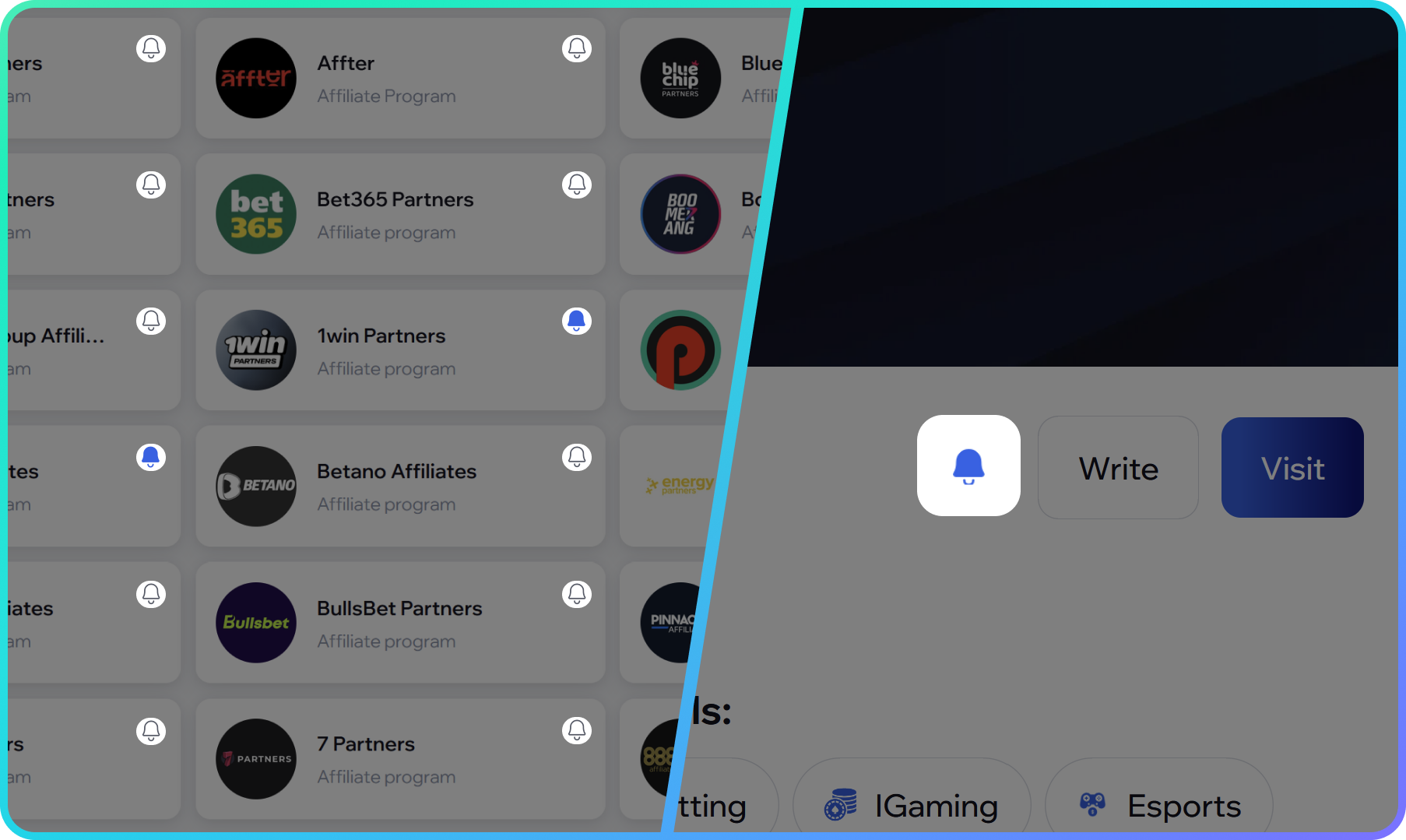
By default, the system tracks all fields for which change signals are available. This allows the user to immediately receive information about updates without the need to manually configure each card.
The system can track changes in many fields within the card, including status and contact information, as well as the appearance of new press releases, affiliate conferences, and current vacancies depending on the card type. Thus, Watchlist allows monitoring not only the card itself but also important events related to it.
How to Set Up Signals
Users can choose which specific changes to track.
To do this, go to the Watchlist tab in the user account. This page displays all the cards that the user has added for tracking. Watchlist settings are located in the upper right corner.
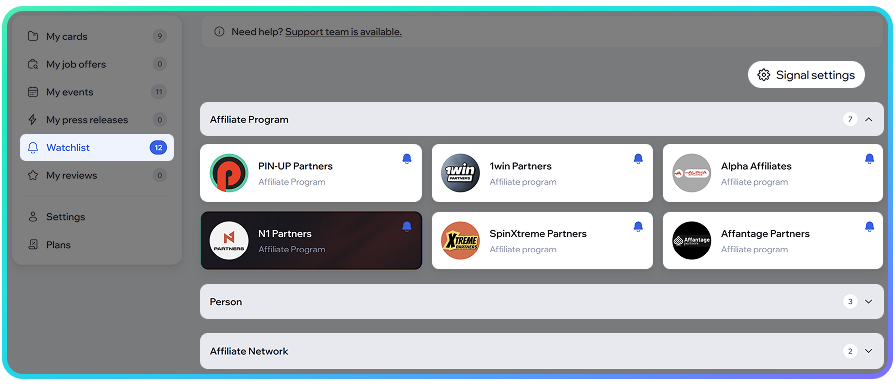
In the settings, users can enable or disable individual signal fields for each card type. For example, users can separately configure tracking of affiliate programs, individuals, teams, and other categories.
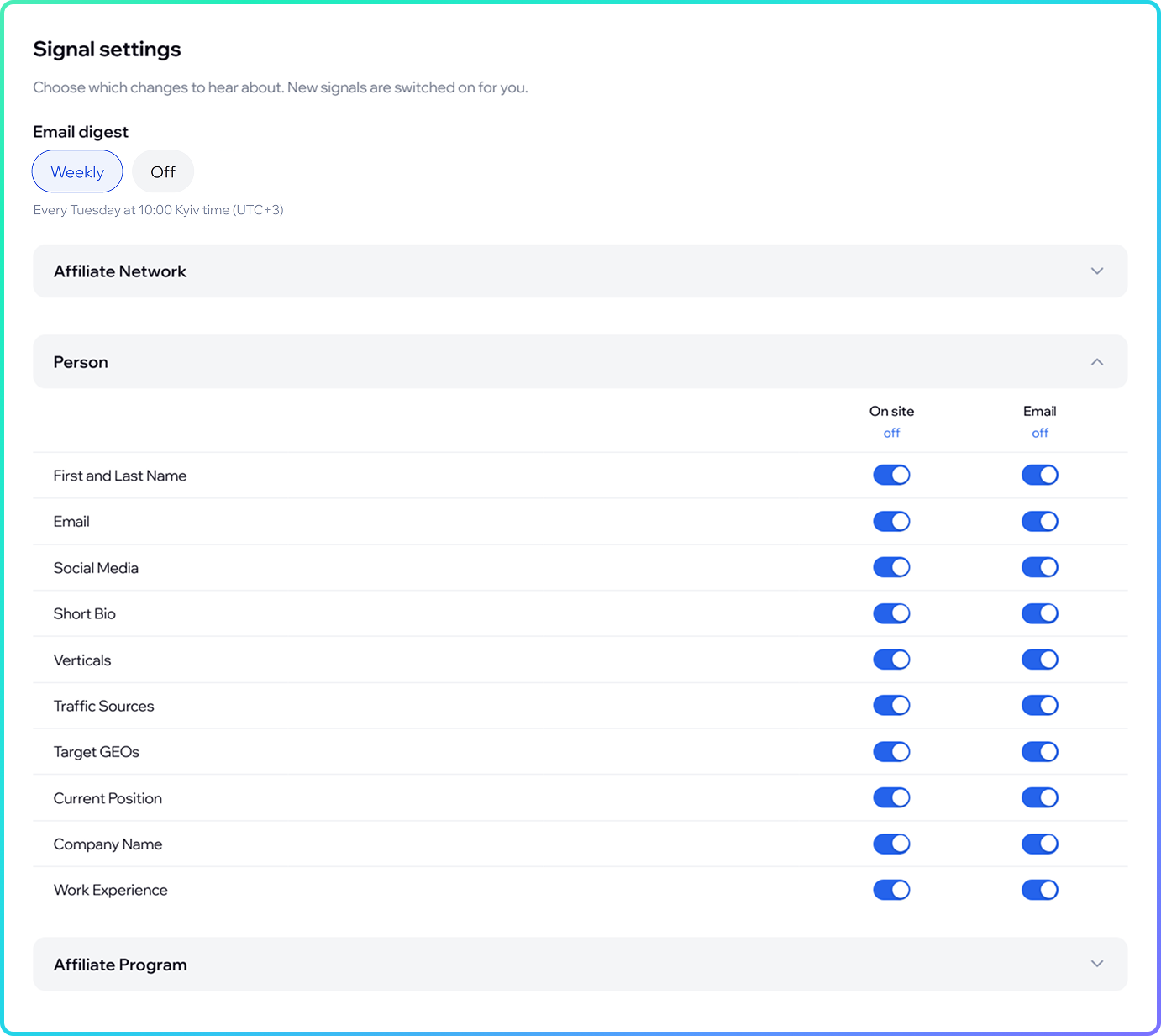
This allows users to receive only notifications that are truly important to them, avoiding unnecessary notifications.
Notifications on the Site and via Email
Watchlist uses two notification channels: directly on the site and via email.
When a new change occurs, the user receives a notification on the site through the bell icon in the AFFCatalog header. New events related to cards from Watchlist are displayed there.
Users also have access to email digests. In the Watchlist settings, users can choose one of two options:
- receive a digest once a week;
- disable email notifications.
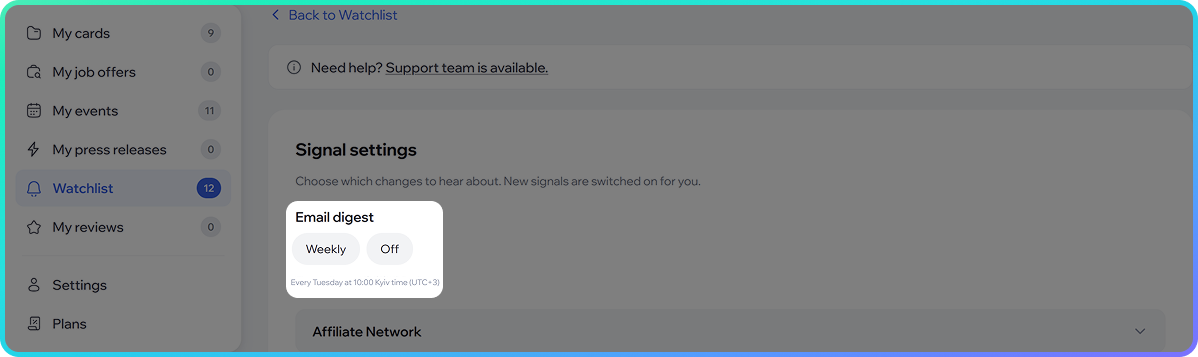
If the email digest is enabled, the email displays changes that have occurred with the tracked cards over the selected period. From the email, the user can go directly to the corresponding card on AFFCatalog.
Changes History in Cards
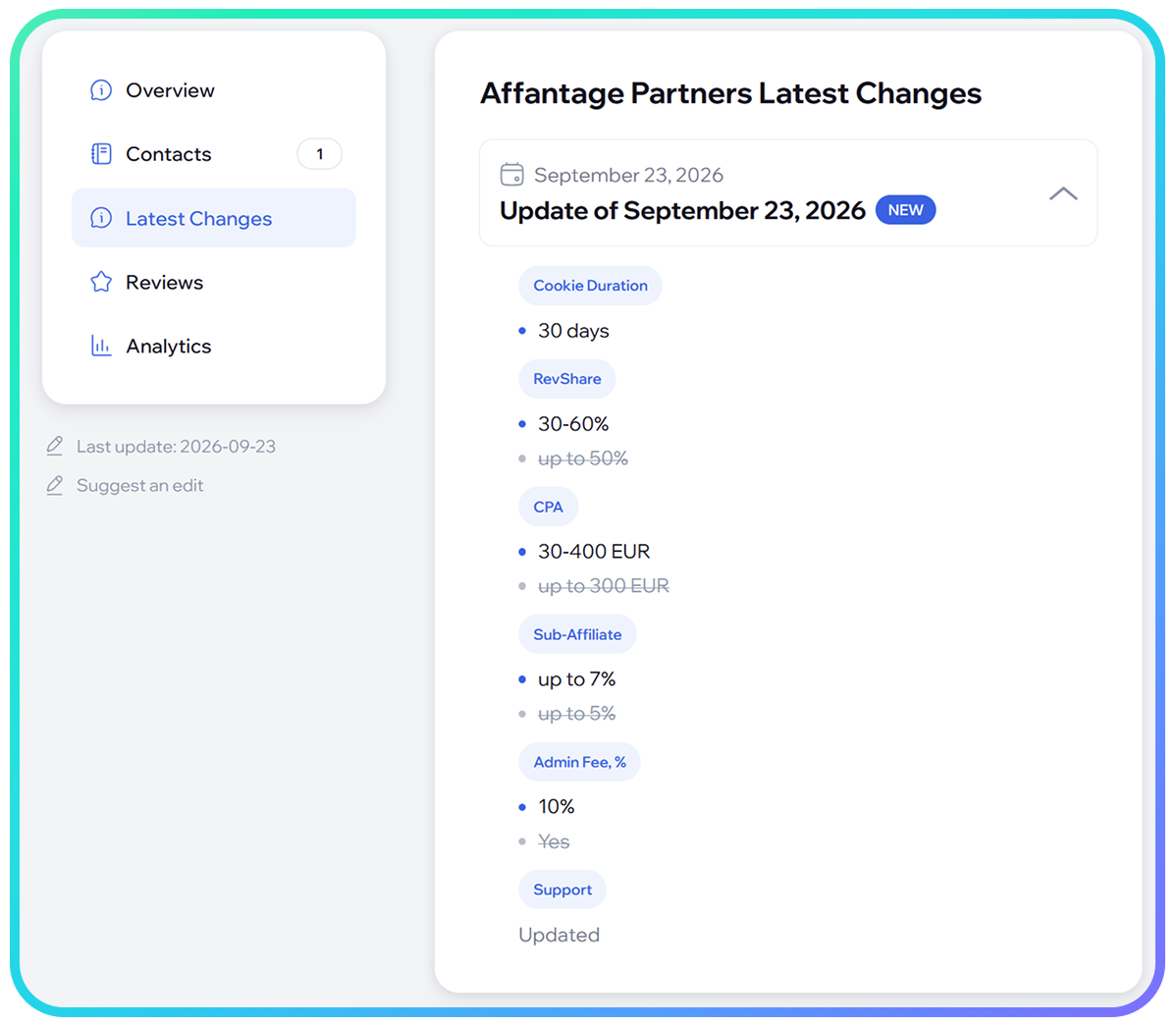
Each tracked change can be viewed directly in the card.
The card displays a version history with update dates and information about which specific data was changed. This allows users not only to learn about a new update through a notification but also to quickly check its details.
For example, if the contact changed in the tracked card, new GEO was added, or a vacancy appeared, the user can see this in the change history of the corresponding listing.
Watchlist in Beta Testing
Watchlist is currently in beta testing. The AFFCatalog team continues to test the functionality and improve the notification and change tracking system based on user experience.
Watchlist is already available to registered AFFCatalog users and allows tracking changes in most types of catalog cards.