Advertising on AFFCatalog
Put your brand in the spotlight. Join the community and stay front and center with AFFCatalog, maximizing your reach among affiliate marketing experts. Scale your impact and turn brand recognition into revenue.
For partnerships, advertising opportunities, and listings — feel free to reach out to our BDM team:
On AFFCatalog you will find:
- 2,300+ verified contacts.
- 1,400+ affiliate programs in the directory.
- 200+ services for affiliates.
- 4 language versions with content variations.
AFFCatalog provides:
- Page branding.
- Premium placement.
- Promo Stripe.
- Start Page Widget.
- Main Page Widget.
- Listing Page ad banners.
- Single Page ad banners.
- Telegram placement.
Branding Plan
For 3 months, your brand will be integrated into the AFFCatalog ecosystem across our visual channels. A custom-branded profile with a personalized skin and background.
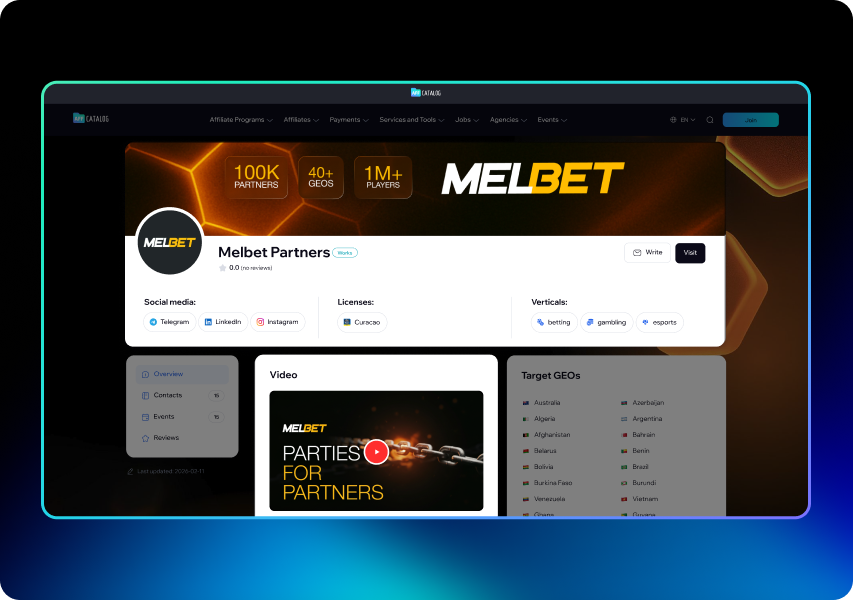
Premium Plan
Only this plan allows you to integrate your brand on the AFFCatalog homepage according to the chosen directory and website language version. You will also get exclusive benefits. The Premium plan includes:
- Your brand will be displayed on the homepage across all localized versions.
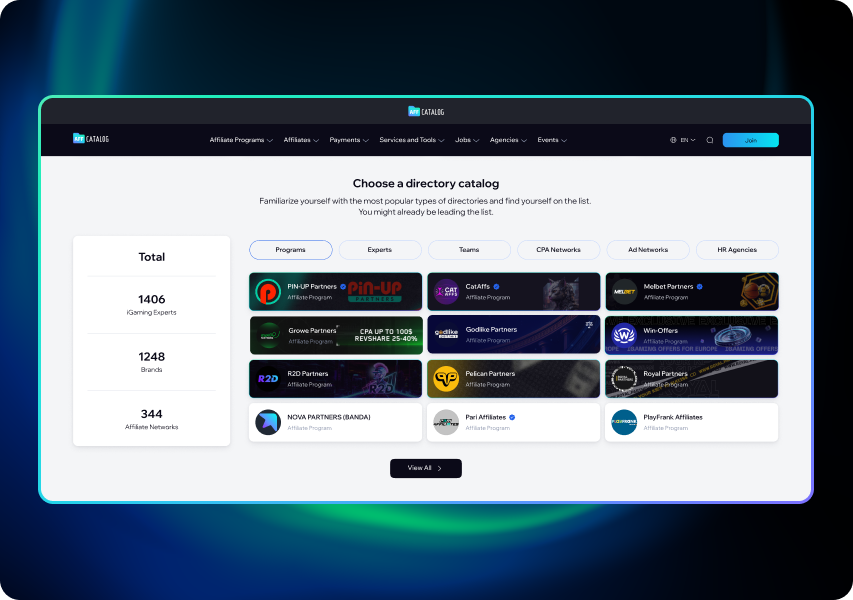
- You will receive TOP-placement in targeted catalog categories.
- Content is updated regularly upon request.
- The support team will assist while the plan is active.
- No third-party ads on your page.
- YouTube promo video posted on the profile page.
Review the Publication Technical Requirements
Your brand will be featured in the TOP 1-12 on the main page of the relevant directory. To ensure your branded page displays correctly on various devices, you need to prepare a set of graphic elements. You will need:
- Logo in SVG or WebP format.
- Header banners: 1760x340 px for desktop and 480x320 px for mobile (WebP), no more than 600 KB.
- Skin (custom background): 1920x1600 px (up to 800 KB, WebP).
- Catalog preview background: 600x100 px, WebP format (up to 600 KB).
Since the photo and name will be on the left side, place your logo or text on the right, leaving a minimum margin of 80 pixels from the edges. This ensures your page renders perfectly across all devices.
Focus the content within 270 px on both sides, but do not use the outer 20 pixels for the branded skin.
Promo Stripe
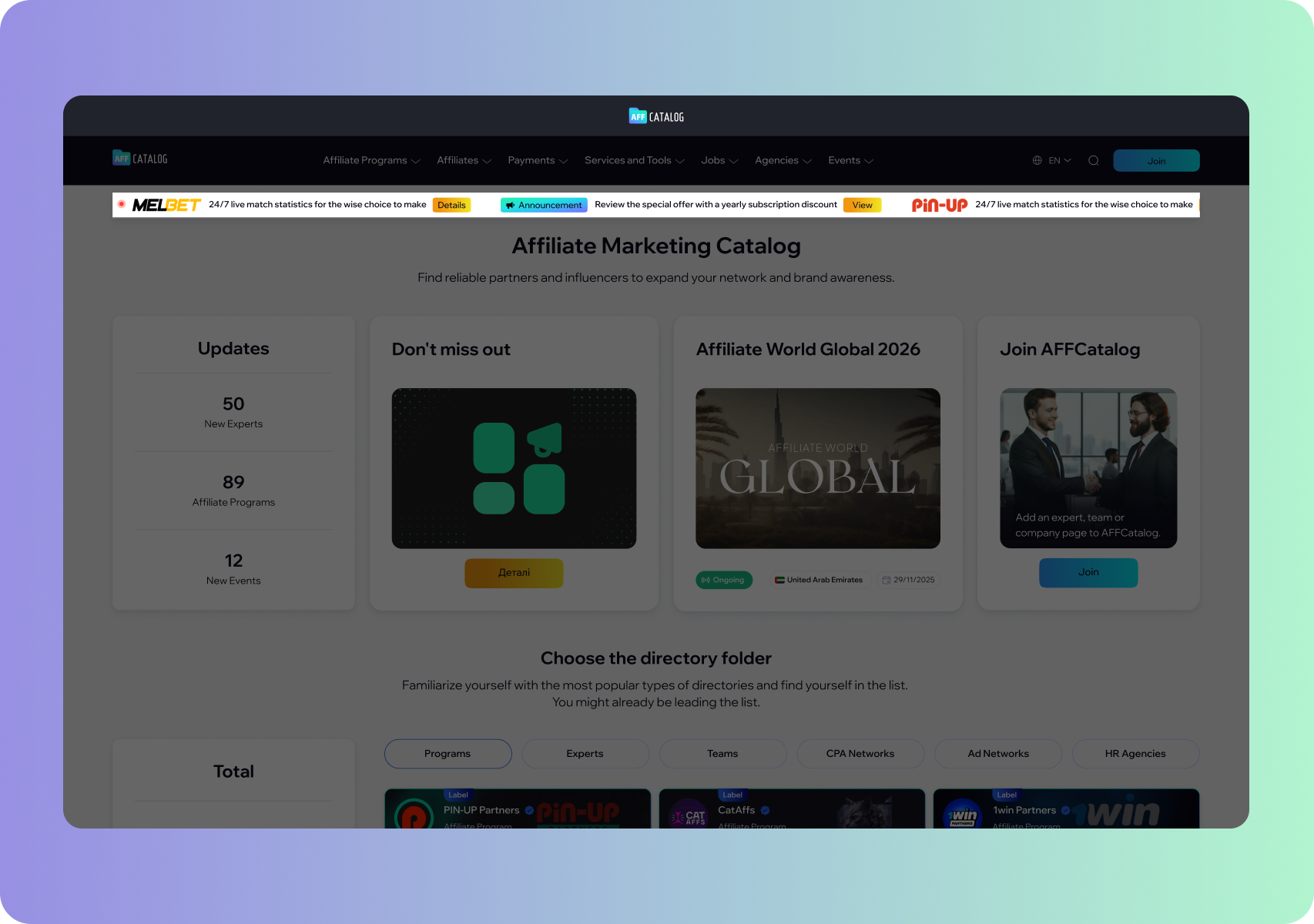
The promo stripe is pinned at the top of the homepage according to the selected localization language. It ensures constant brand presence in the target audience's view, helping to effectively promote offers, find services, and receive targeted inquiries. This advertising area is visible to the largest number of AFFCatalog users.
To design your promo stripe, you need to prepare:
- Your logo with a transparent background in SVG format.
- A short text of up to 160 characters.
The button can contain text up to 30 characters.
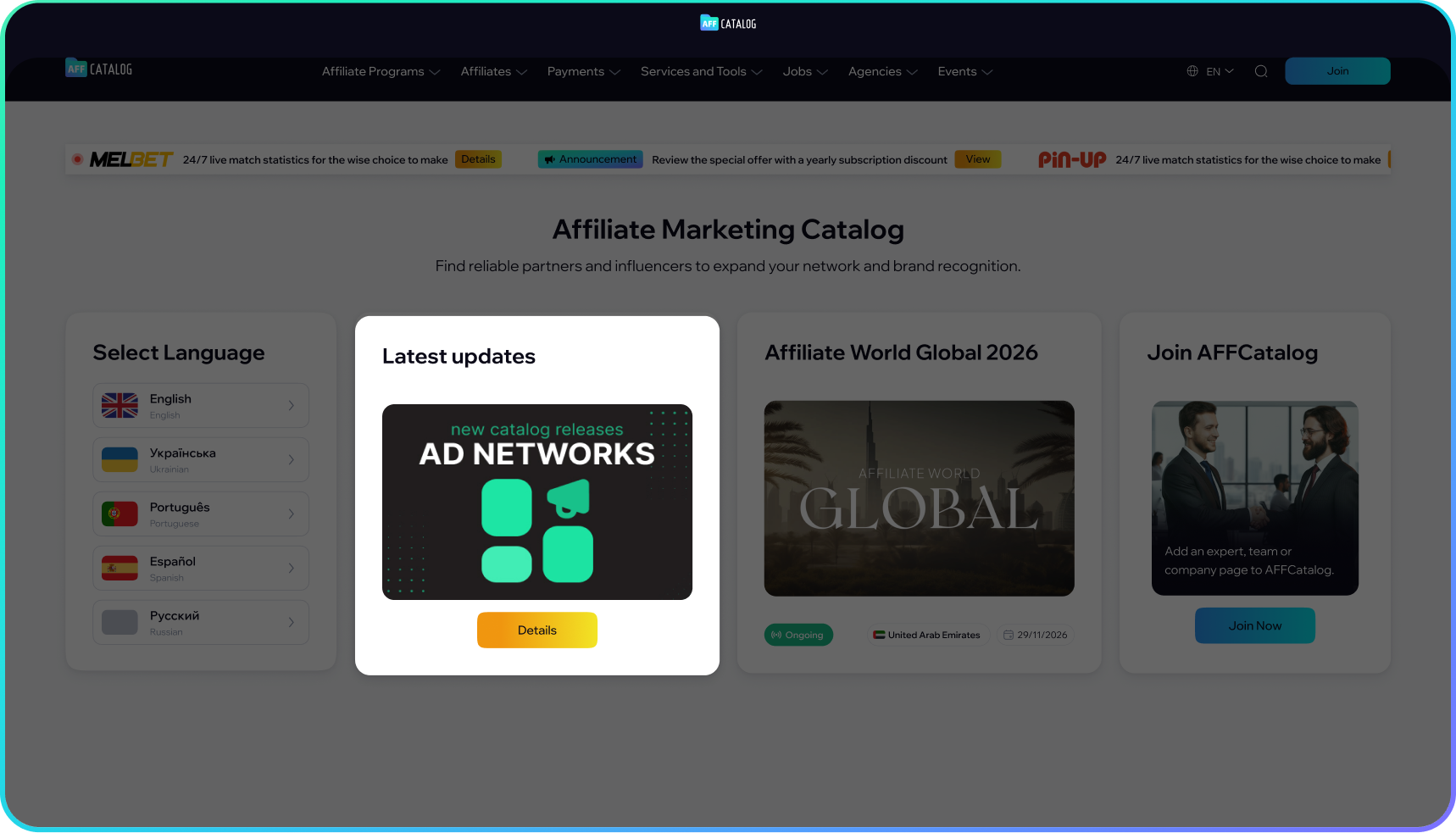
Start Page Widget
Your brand and ad are integrated directly into the main page grid alongside the most relevant events and services.
This placement allows for an effective first contact with users, as the start page and everything it presents are at the center of attention from the very first seconds. By choosing compelling creatives and booking a spot on the widget, you have a high chance of engaging the target audience and driving clicks.
You need to provide:
- A static banner sized 1024x340 px in WebP format.
- File size up to 600 KB.
- Center all key elements with minimum margins of 304 px on both sides.
The text directly on the banner must be exclusively in English, and above the image itself, you can add a separate caption of no more than 60 characters.
Main Page Widget
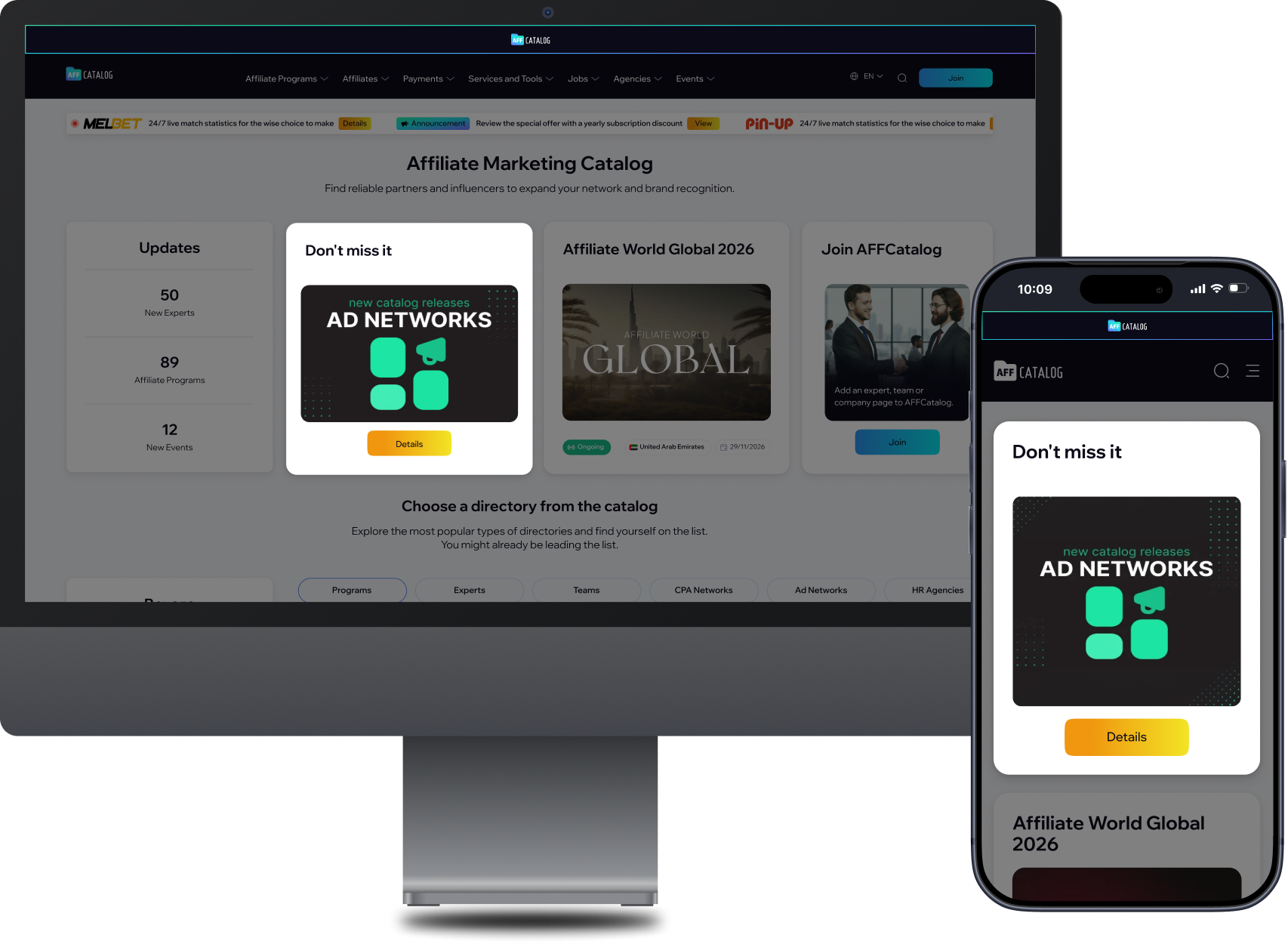
It’s a strategically useful spot for re-engagement. After the user selects the interface language and proceeds to the main page, you have another opportunity to capture their attention in a different section of AFFCatalog. This placement ensures natural contact with the audience, as the integration is perceived as part of the interface.
You can use this widget to promote new products, special terms, or key services of your ecosystem.
Tech requirements are listed below:
- A static banner 1024x340 px in WebP format.
- File size up to 600 KB.
- All key elements must be centered with minimum margins of 304 px on both sides for proper adaptation across different screens.
- The caption text above the banner cannot exceed 60 characters.
Listing Page Ad Banners
Banner advertising in the catalog sections allows you to communicate with the audience precisely where they are looking for specific solutions (services, affiliate programs, payment solutions, etc.). This shortens the path from the moment of search to the target action, as the banner already stands out in the filter area.
Please note the specific placement requirements:
- All banners must be static, have sharp corners, and not exceed 600 KB.
- For the Sidebar Top banner, a logo in SVG format is required.
- The Listing Top Banner is pinned after 9-10 cards.
- The Listing Banner is not pinned. There can be several banners depending on the number of advertisers. This banner will appear randomly.
Header Banner
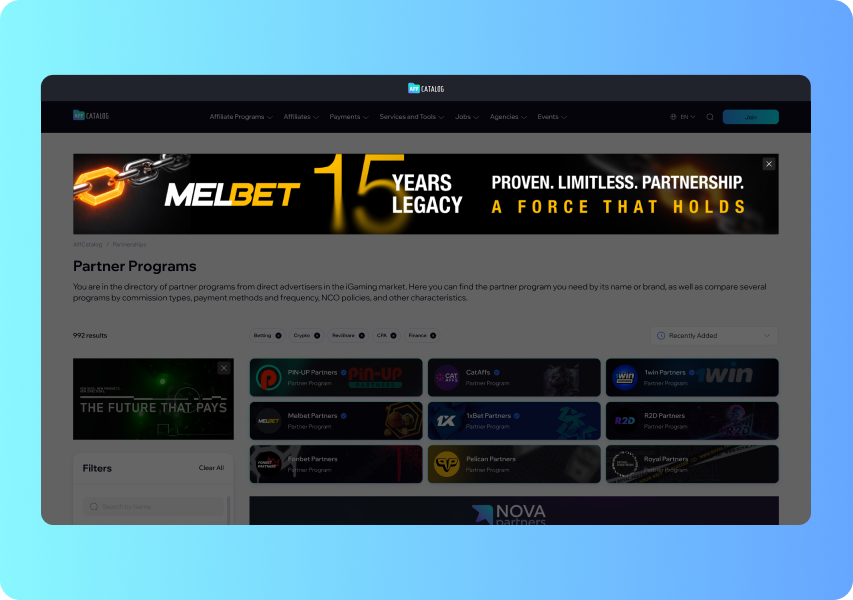
This banner is positioned directly below the navigation area. It’s visible to users before they even proceed to search. This guarantees that your brand will not go unnoticed. The banner is placed at the top of the site above the main content section and provides space for creativity thanks to its large display area.
Prepare visuals in WebP format according to these parameters:
- Desktop: 1760x200 px.
- Tablet: 704x200 px.
- Mobile: 448x160 px.
Sidebar Top Banner
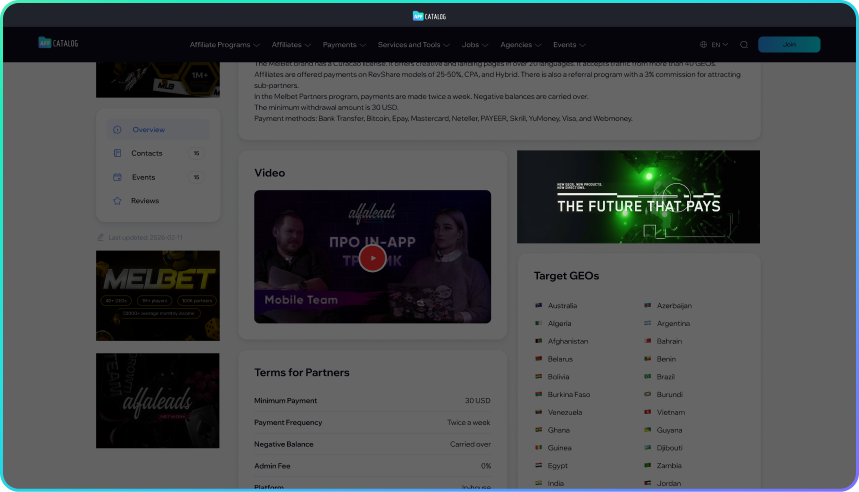
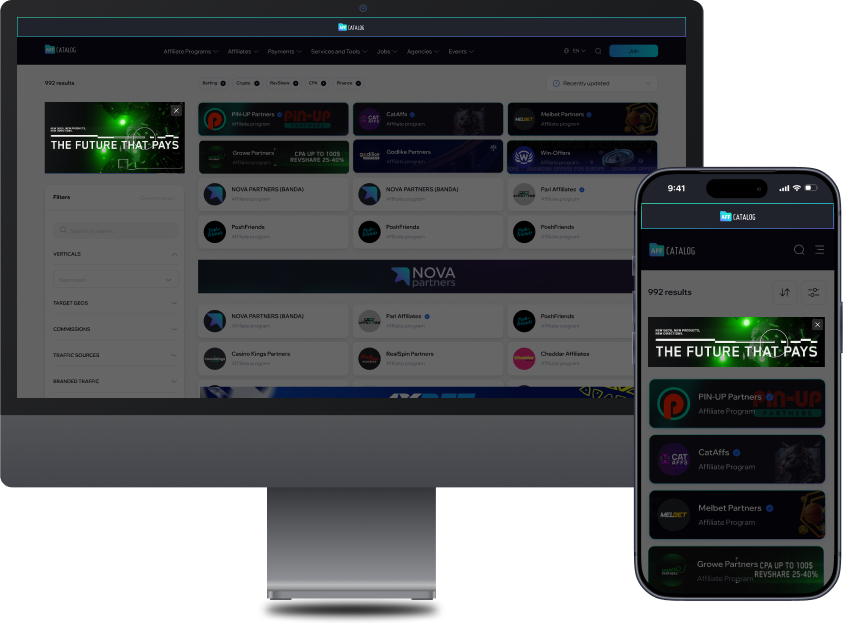
It’s a strategic visual element pinned at the top of the sidebar. Users see the banner immediately upon navigating to the section. This placement is suitable for featuring a logo, a key slogan, or a primary offer. Accepted formats are WebP, SVG, GIF, or nextGen up to 5 seconds.
Requirements for different devices:
- Desktop: 400x220px.
- Tablet: aspect ratio 5:1.
- Mobile: aspect ratio 4:1.
Sidebar Bottom Banner
The sidebar highlight serves as a final call to action. The user has already reviewed the list of offers and sees the banner when making a decision, which increases the chances of conversion. Accepted formats are WebP and SVG.
- Desktop: aspect ratio 1:1.
- Tablet: aspect ratio 5:1.
- Mobile: aspect ratio 4:1.
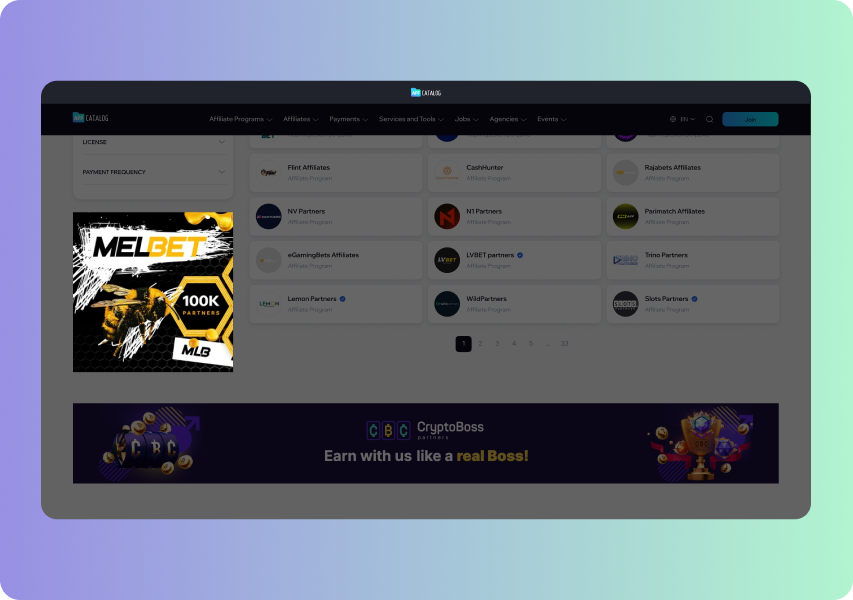
Footer Banner
The footer can both reinforce brand awareness and serve as a final incentive to click through. The large banner space allows you to place an extensive visual composition and any detailed information. Creatives are accepted in WebP format.
- Desktop: 1760x200 px.
- Tablet: 704x200 px.
- Mobile: 448x160 px.
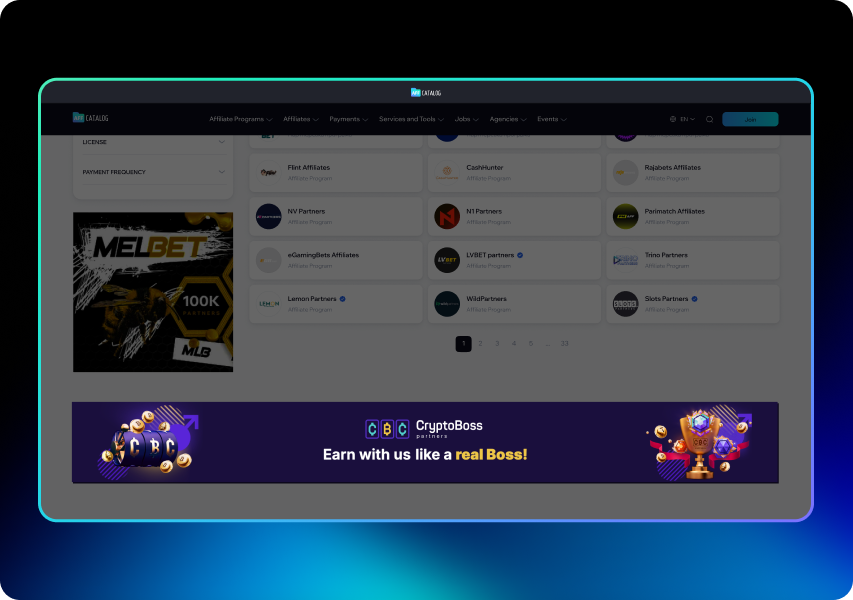
Listing Top Banner
Placement at the top of the listing allows you to integrate into the list of catalog entries. The banner looks like a natural part of the list, without disrupting the user experience logic. The accepted format is WebP.
- Desktop: 1320x96px.
- Tablet: 704×96px.
- Mobile: 448×96px.
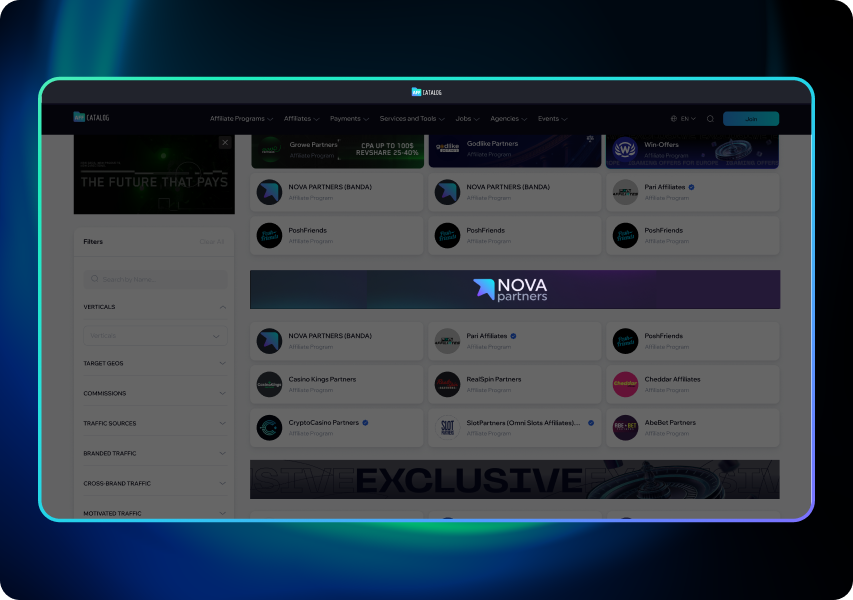
Listing Banner
A banner within the listing aimed at capturing the user's attention during a moment of high concentration. This ensures a smooth yet noticeable dominance, increasing the chances of a positive audience response and the following conversions. The accepted format is WebP.
- Desktop: 1320x96 px.
- Tablet: 704×96 px.
- Mobile: 448×96 px.
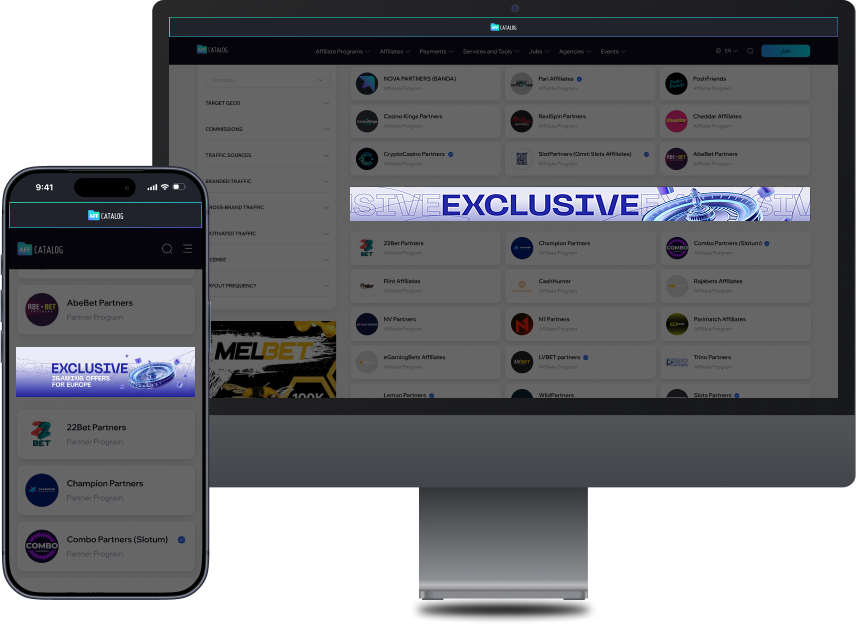
Single Page Ad Banners
Choosing placement in this section of AFFCatalog, you have 100% contact with the most loyal audience that is already about to register or make a purchase. The banners will help drive "warm" traffic and boost conversions, as they act as a highly targeted recommendation.
Available placements on the Single Page are:
- Sidebar Top Banner.
- Sidebar Bottom Banner.
- Right Top Banner.
Logos must be in SVG format and have a transparent background. Banner sizes must not exceed 600 KB.
Banners on the Single Page are published on the selected catalog page (you can choose several pages). The price is per-page. The format, dimensions, and background requirements for each version are standardized for convenience.
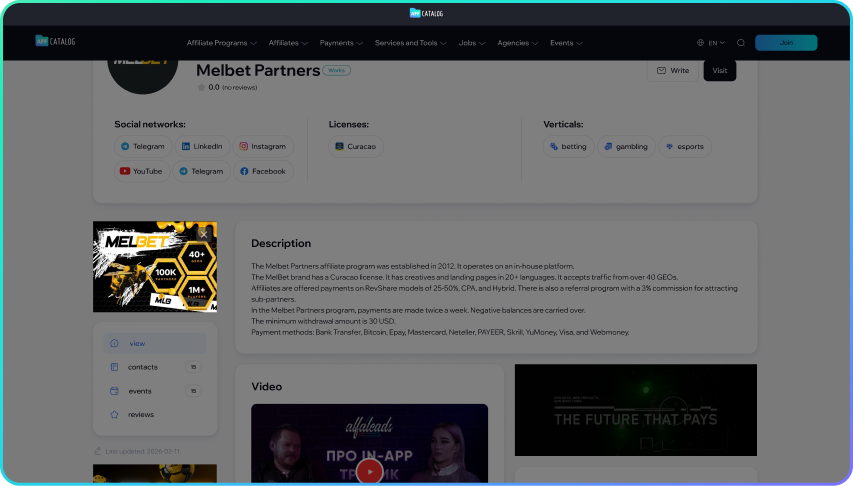
SP Sidebar Top Banner
The sidebar is one of the first elements to enter the user's field of view after the page loads. The banner is located in an area with the highest interaction. This will help increase awareness and motivate the users to click on the ad. Accepted formats are WebP or GIF (up to 5 seconds).
Requirements for different devices are:
- Desktop: 280x220px.
- Tablet: aspect ratio 5:1.
- Mobile: aspect ratio 4:1.
SP Sidebar Bottom Banner
This placement ensures contact with the target audience at the moment of highest concentration. It’s an ideal spot for displaying bonuses, promotions, and direct calls to action that convert readers into clients. Accepted formats are WebP or GIF (up to 5 seconds).
- Desktop: aspect ratio 1:1.
- Tablet: aspect ratio 5:1.
- Mobile: aspect ratio 4:1.
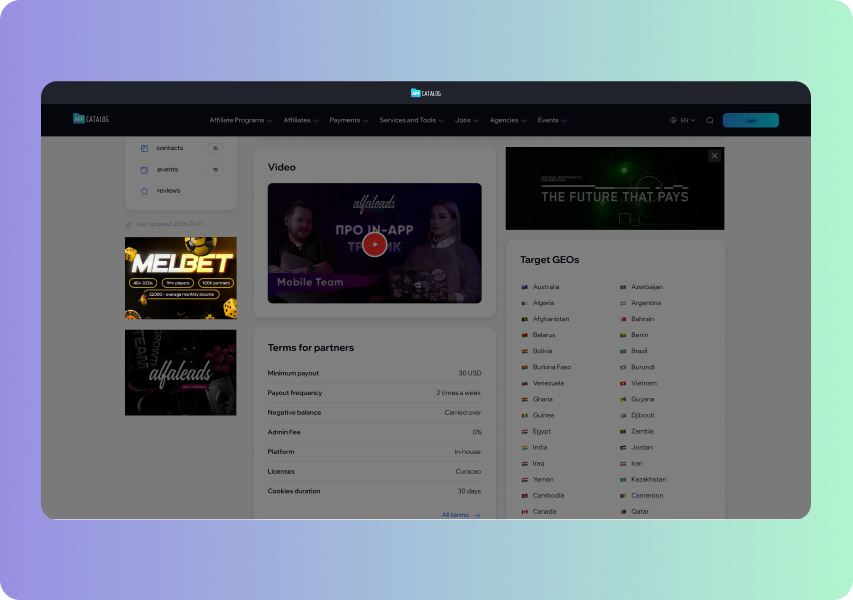
SP Right Top Banner
The banner is located directly on the right side of the page, right beside the main service description. The placement guarantees that your offer will remain in the user's field of view the entire time they are reading, encouraging a click-through exactly at the moment of maximum interest.
- Desktop: aspect ratio 2:1.
- Teblet: aspect ratio 2:1.
- Mobile: aspect ratio 2:1.