How to get the AFFCatalog Verified badge
AFFCatalog Verified is a quality mark from AFFCatalog.
The badge confirms that your company has passed verification by an independent analytical resource in the field of affiliate marketing. The badge is not for sale: it is awarded to companies that meet the criteria and place the badge code on their website.
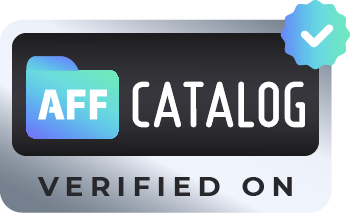
Who can get the badge
The badge can be obtained by affiliate programs, networks, affiliate teams, and other companies in the affiliate marketing industry that:
- have a profile on AFFCatalog or want to get one;
- pass manual moderation by the AFFCatalog team.
The badge is not issued to:
- owners of CPIS licenses and Belarusian licenses;
- websites on .ru and .by domains.
What is needed for this
- Check if your company has a profile on AFFCatalog. Find it through the search on the website. If there is no profile, don't worry: we will add the company for free after verification.
- Place the badge code in the footer of your website. The code can be found in the next section.
- Submit a verification request to business@affcatalog.com. Provide:
- the company name and a link to its profile on AFFCatalog (or website address if there is no profile yet);
- a link to the page of your website where the badge is placed.
- Wait for manual moderation. After verification, the AFFCatalog team will mark your profile as verified.
Badge code
Copy the code and paste it into the footer of your website:
<a href="https://affcatalog.com/" target="_blank" rel="noopener noreferrer" title="Verified on AFFCatalog" style=" display: flex; justify-content: center; height: 80px; text-decoration: none; border: none; " > <img src="https://res.cloudinary.com/dvpq8xehhh/image/upload/v1771572133/AC_Verifaed_On_x4_inyxox.webp" alt="Affcatalog Verified Label" loading="lazy" style=" display: block; max-width: 100%; object-fit: contain; height: auto; border: none; " /></a>
Recommendations:
- Do not change the link and image address in the code. The AFFCatalog team checks this badge.
- The badge leads to the main page of AFFCatalog. If you want it to lead to your company's profile, let us know - we can set up the link separately.
- The badge must be available on the website permanently. Profiles that no longer have the badge lose their Verified status.
What the partner receives
- A Verified checkmark on the profile in AFFCatalog. It is located next to the company name, and when hovered over, it shows the tooltip "Verified by AFFCatalog".
- A place in the "Verified" filter in the catalog. The filter is located in the section where your company is listed: affiliate programs, networks, agencies, etc. Users looking for verified partners find your company among the verified ones.
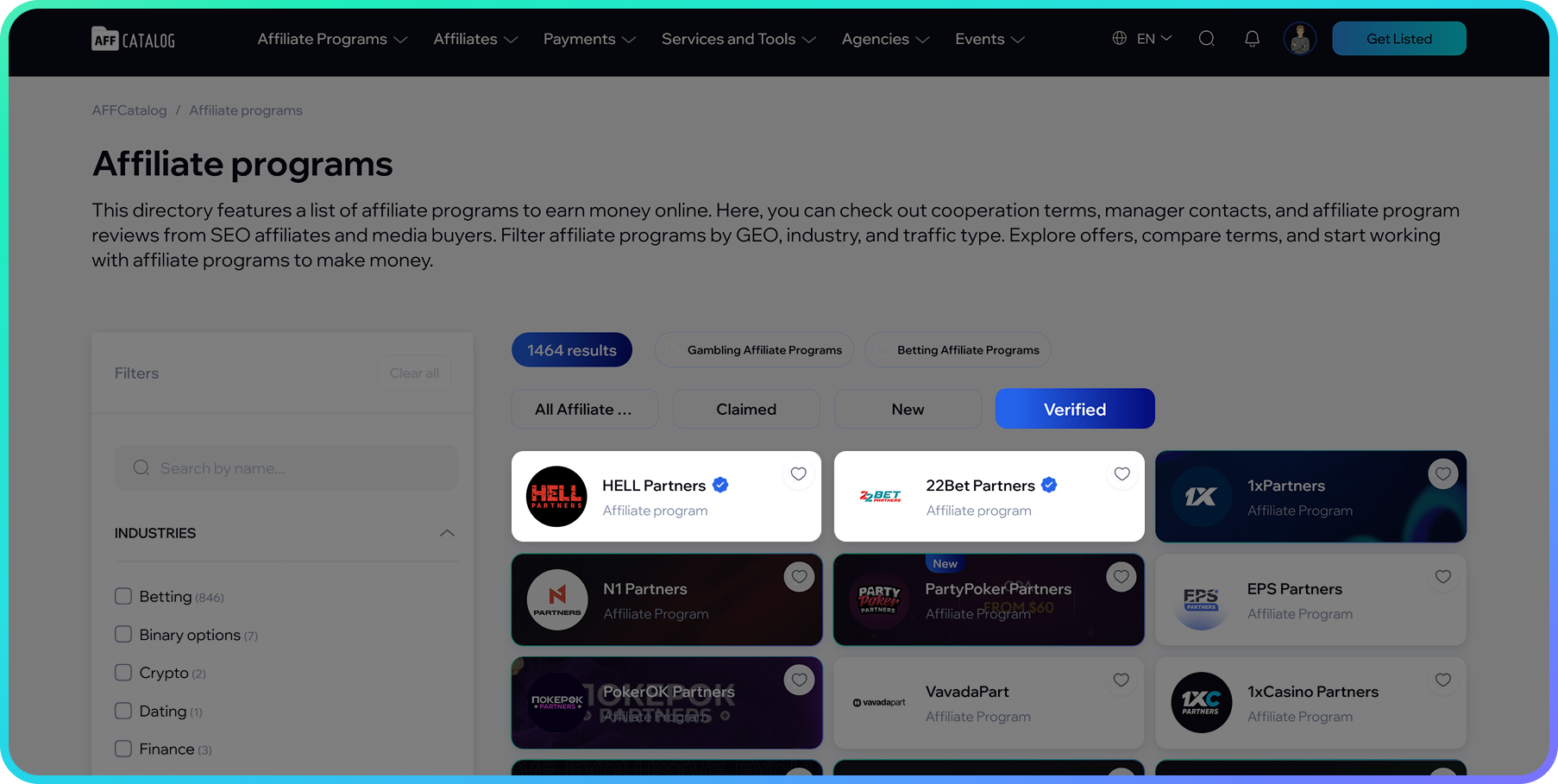
The "Verified" filter in the affiliate program catalog and the checkmark next to the company name
- The opportunity to be featured in the block of verified partners on the main page of AFFCatalog.
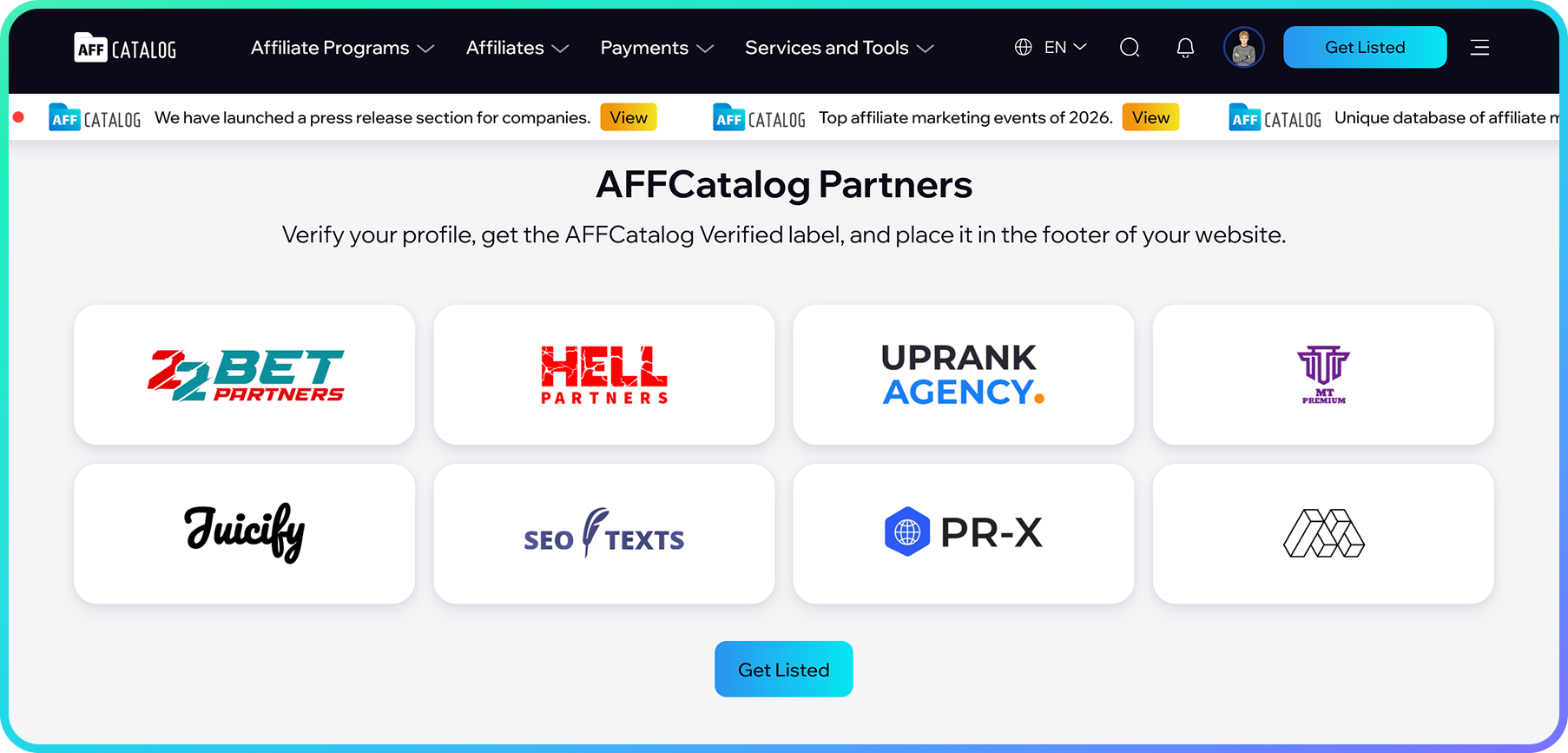
The "AFFCatalog Partners" block on the main page
- A trust mark for your audience. The badge on the website shows affiliates and partners that an independent industry resource has verified the company.
Frequently Asked Questions
How much does the badge cost?
The AFFCatalog Verified badge is not for sale; it is awarded for meeting the criteria and placing the code on the website.
How long does verification take?
Requests are manually reviewed. If additional information is needed, the AFFCatalog team will contact you via the email from which the request was sent.
Can the badge be placed somewhere other than the footer?
The recommended location is the website footer. If you want to place the badge elsewhere, let us know.
Can the badge size be changed?
The badge adjusts to the width of the container. Do not change the link and image in the code.
Can the badge link to my company profile instead of the main AFFCatalog page?
Yes, upon request. Email us at business@affcatalog.com, and we will send you the code with a link to your profile.
We want to display the AFFCatalog logo in the media partners section. Is it the same?
No. The logo in the media partners section is a separate format; it does not replace the Verified badge. We will provide the AFFCatalog logo, including black and white versions for integration into your website design. Contact us.
What happens if the badge is removed from the website?
The Verified status on the profile is removed. To restore it, place the badge again and inform us.
My company is not on AFFCatalog. What should I do?
Place the badge on your website and email us at business@affcatalog.com. Provide the company name, website address, and a link to the page where the badge is placed. After verification, we will add your company to AFFCatalog for free and mark it as verified.
How is Verified different from Claimed badge?
Verified confirms that the company has been verified by the AFFCatalog team and the company has placed the badge on its website. Claimed means that a company representative has linked the profile to their account in the personal cabinet. The profile may have both badges.
We work with markets in Russia or Belarus. Can we get the badge?
No, if you have a CPIS license or a Belarusian license, or a website on .ru or .by domain.
Still have questions? Email us at business@affcatalog.com.